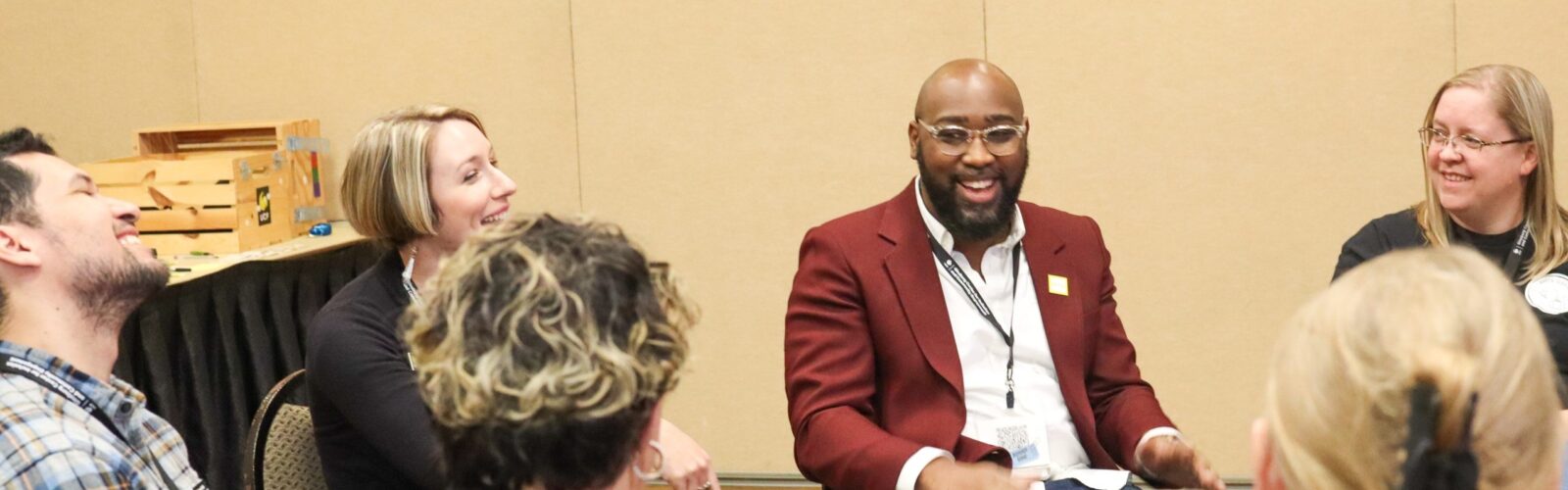
The UCF Ginsburg Center’s training program is one of the most prolific in higher education. You can pursue certificates and training individually or as a departmental effort to improve performance and our learning and work environments.
Workshops
All internal workshops are free for unless otherwise noted. Please note that locations vary. Other opportunities for workshops may be scheduled by calling (407) 823-6479 or by emailing Kavita.sawh@ucf.edu.
Fall 2026 Workshop Schedule
|
DATE |
WORKSHOP |
TIME (ET) |
LOCATION |
REGISTER |
|---|---|---|---|---|
|
TUE, OCT |
Civil Discourse 101 |
1:00 p.m. |
ONLINE |
|
|
WED, OCT |
How to Create Accessible Videos |
3:00 p.m. |
ONLINE |
|
|
WED, OCT |
Preventing Burnout |
3:00 p.m. |
In person |
Students: walk in |
|
TUE, OCT |
Recharge Break: Guided Session for Reflection and Renewal |
2:00 p.m. |
In person |
Students: walk in |
|
WED, OCT |
Creating Accessible Designs Using Canva |
3:00 p.m. |
ONLINE |
|
DATE |
WORKSHOP |
TIME (ET) |
LOCATION |
REGISTER |
|---|---|---|---|---|
|
WED, NOV |
Creating Accessible Websites |
3:00 p.m. |
ONLINE |
|
|
THU, NOV |
Time and Energy Management |
11:00 a.m. |
In person |
Students: walk in |
|
THU, NOV |
Mission Ready: Supporting UCF’s Student Veterans |
1:00 p.m. |
In person |
Students: walk in |
|
THU, NOV |
Expanding Your Trusted 10: Broadening Perspectives for Stronger Leadership |
11:00 a.m. |
In person |
Students: walk in |
|
TUE, NOV |
Recharge Break: Guided Session for Reflection and Renewal |
2:00 p.m. |
In person |
Students: walk in |
|
WED, NOV |
How to Create Accessible Documents: Microsoft Office |
3:00 p.m. |
ONLINE |
|
DATE |
WORKSHOP |
TIME (ET) |
LOCATION |
REGISTER |
|---|---|---|---|---|
|
WED, DEC |
How to Create Accessible PDFs |
3:00 p.m. |
ONLINE |
|
|
WED, DEC |
Creating Accessible Designs Using Canva |
3:00 p.m. |
ONLINE |
Tue, Oct 13, 1:00 p.m.
Civil Discourse 101
Presented by Dr. Haley Winston
Online – Microsoft Teams
Wed, Oct 14, 3:00 p.m.
How to Create Accessible Videos
Presented by Azon Bonifacio
Online – Microsoft Teams
Wed, Oct 14, 3:00 p.m.
How to Create Accessible Videos
Presented by Azon Bonifacio
Online – Microsoft Teams
Wed, Oct 21, 3:00 p.m.
Preventing Burnout
Presented by Kavita Sawh
In Person – BYC CMMS, Training Room 140
Students: walk in
TUE, Oct 27 · 2:00 p.m.
Recharge Break: Guided Session for Reflection and Renewal
Presented by Kavita Sawh
In Person – BYC CMMS, Training Room 140
Students: walk in
Wed, Oct 28 · 3:00 p.m.
Creating Accessible Designs Using Canva
Presented by Azon Bonifacih
In Person ·BYC CMMS, Training Room 140
Wed, NOV 4, 3:00 p.m.
Creating Accessible Websites
Presented by Azon Bonifacio
Online – Microsoft Teams
thu, Nov 5, 11:00 a.m.
Time and Energy Management
Presented by Kavita Sawh
In Person – BYC CMMS, Training Room 140
Students: walk in
thu, nov 5, 1:00 p.m.
Mission Ready: Supporting UCF’s Student Veterans
Presented by Mike Kepner
In person – MVSS Training Room, Ferrell Commons, Bldg. 7E, Room 165
Students: walk in
thu, Nov 12, 11:00 a.m.
Expanding Your Trusted 10: Broadening Perspectives for Stronger Leadership
Presented by Kavita Sawh
In Person – BYC CMMS, Training Room 140
Students: walk in
TUE, Nov 17 · 11:30 a.m.
Recharge Break: Guided Session for Reflection and Renewal
Presented by Kavita Sawh
In Person – BYC CMMS, Training Room 140
Students: walk in
Wed, Nov 18 · 3:00 p.m.
How to Create Accessible Documents: Microsoft Office
Presented by Azon Bonifacih
In Person ·BYC CMMS, Training Room 140
wed, dec 2, 3:00 p.m.
How to Create Accessible PDFs
Presented by Azon Bonifacio
Online – Microsoft Teams
Wed, Dec 9, 3:00 p.m.
Creating Accessible Designs Using Canva
Presented by Azon Bonifacio
Online – Microsoft Teams
|
DATE |
WORKSHOP |
TIME (ET) |
LOCATION |
REGISTER |
|---|---|---|---|---|
|
WED, NOV |
Creating Accessible Websites |
3:00 p.m. |
ONLINE |
|
|
THU, NOV |
Time and Energy Management |
11:00 a.m. |
In person |
Students: walk in |
|
THU, NOV |
Digital Accessibility Workshop |
1:00 p.m. |
HYBRID |
|
|
THU, NOV |
Mission Ready: Supporting UCF’s Student Veterans |
1:00 p.m. |
In person |
Students: walk in |
|
THU, NOV |
Expanding Your Trusted 10: Broadening Perspectives for Stronger Leadership |
11:00 a.m. |
In person |
Students: walk in |
|
TUE, NOV |
Recharge Break: Guided Session for Reflection and Renewal |
2:00 p.m. |
In person |
Students: walk in |
|
WED, NOV |
How to Create Accessible Documents: Microsoft Office |
3:00 p.m. |
ONLINE |
|
DATE |
WORKSHOP |
TIME (ET) |
LOCATION |
REGISTER |
|---|---|---|---|---|
|
WED, DEC |
How to Create Accessible PDFs |
3:00 p.m. |
ONLINE |
|
|
WED, DEC |
Creating Accessible Designs Using Canva |
3:00 p.m. |
ONLINE |
Wed, NOV 4, 3:00 p.m.
Creating Accessible Websites
Presented by Azon Bonifacio
Online – Microsoft Teams
thu, Nov 5, 11:00 a.m.
Time and Energy Management
Presented by Kavita Sawh
In Person – BYC CMMS, Training Room 140
Students: walk in
Wed, Nov 5 · 1:00 p.m.
Digital Accessibility Workshop
Presented by Kevin Price
Hyrbid ·BYC CMMS, Training Room 140
thu, nov 5, 1:00 p.m.
Mission Ready: Supporting UCF’s Student Veterans
Presented by Mike Kepner
In person – MVSS Training Room, Ferrell Commons, Bldg. 7E, Room 165
Students: walk in
thu, Nov 12, 11:00 a.m.
Expanding Your Trusted 10: Broadening Perspectives for Stronger Leadership
Presented by Kavita Sawh
In Person – BYC CMMS, Training Room 140
Students: walk in
TUE, Nov 17 · 11:30 a.m.
Recharge Break: Guided Session for Reflection and Renewal
Presented by Kavita Sawh
In Person – BYC CMMS, Training Room 140
Students: walk in
Wed, Nov 18 · 3:00 p.m.
How to Create Accessible Documents: Microsoft Office
Presented by Azon Bonifacio
In Person ·BYC CMMS, Training Room 140
wed, dec 2, 3:00 p.m.
How to Create Accessible PDFs
Presented by Azon Bonifacio
Online – Microsoft Teams
Wed, Dec 9, 3:00 p.m.
Creating Accessible Designs Using Canva
Presented by Azon Bonifacio
Online – Microsoft Teams
Training Descriptions
Our workshops are geared to enhance workplace development for the UCF community and corporate partners. Select one of our offerings to view details about the workshop. UCF community members are encouraged to register via Workday Learning Browse Learning Content. For questions about our offerings please contact us at lod@ucf.edu.
Digital Accessibility
Learn how to create accessible and compliant digital content that meets the needs of all users, including those with disabilities. We offer digital accessibility trainings that cover practical strategies, useful tools, and best practices to help you ensure your documents, websites, and media are usable by everyone. Visit the Digital Accessibility Lab for more information.
For questions or concerns about digital accessibility, contact the Digital Accessibility Lab at digitalaccessibilitylab@ucf.edu.
Consultations and Presentations
In addition to Faculty, GTA, and New Employee Orientations, the Ginsburg Center provides a variety of consultations and presentations as a service to the UCF Community.
Consultations:
A consultation is an individual or group meeting to assist in planning programs and events, expanding access for grant proposals, infusing the curriculum with engaging content and pedagogy in both new and existing courses, or discussing issues or incidents. Depending upon the circumstances, consultations may occur face-to-face, by e-mail or telephone.
Presentations:
Members of the training staff are available to make presentations to classes, departments, organizations, and student groups. We also facilitate sessions at team retreats. Our presentations cover a variety of topics, and, if time, personnel, and resources allow, we will tailor specific presentations to meet your unique needs.
For more information, or to schedule a consultation or a presentation with any of the members of our training staff, please feel free to contact us.
Corporate Trainings
Corporate Trainings can help to improve relationships in your workplace and create a welcoming environment.
Our comprehensive corporate certificate programs are tailored to accommodate the specific requirements of our valued corporate partners. If you are interested in exploring our list of available workshops, customized workshops or obtaining certificates for your organization, kindly reach out to us for a detailed discussion. For a complimentary consultation, please contact Kavita Sawh at kavita.sawh@ucf.edu.
Community and Corporate Partners


